
Roblox / GAME CODE GUIDE

Aero
Code reports

Game details & artwork credit

Collect skins with their own sounds and auras, and keep your win streak alive.

Sprint, slide and wall-run through matches, pick classes with distinct abilities, and unlock equipment by leveling.

Noctornal Studio

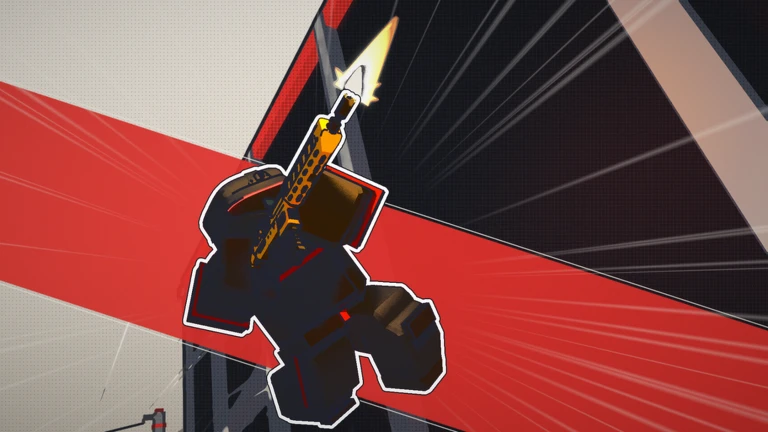
Official Roblox artwork for Aero by Noctornal Studio. Rights belong to the experience creator. Artwork source ↗

2 pending
Explore code reports ↓
Open on Roblox Opens roblox.com in a new tab. The Roblox app or an account may be required.
Aero promotional artwork

Aero codes & rewards

Latest code-list update:

Source reports keep their original status. None confirms a successful in-game redemption.

REVAMP

Pending

250 XP, 250 Credits, and an Amp Field Class

Listed by BloxArchive on

Sources: BloxArchive ↗

Source details · 1 publisher · 1 source record

Aggregate reward: 250 XP, 250 Credits, and an Amp Field Class

Public source report; not tested in-game.

BloxArchive ↗
  • BloxArchive ↗

    reported · 250 XP, 250 Credits, and an Amp Field Class

    Source date: 2026-11-27T20:27:10.931Z

    Public publisher report, not redeemed in game. Observed exact spelling: REVAMP. Claim: reported — 250 XP, 250 Credits, and an Amp Field Class.

    https://bloxarchive.com/aero-codes

Public source records and comparisons (JSON) ↗ · Record ID: aero-e4d240f979b8

Source check: Not recordedRegion: Not confirmedExpiry: Not confirmedNot tested in-game

LAUNCH

Pending

1k Credits

Listed by BloxArchive on

Sources: BloxArchive ↗

Source details · 1 publisher · 1 source record

Aggregate reward: 1k Credits

Public source report; not tested in-game.

BloxArchive ↗
  • BloxArchive ↗

    reported · 1k Credits

    Source date: 2026-11-26T15:25:52.476Z

    Public publisher report, not redeemed in game. Observed exact spelling: LAUNCH. Claim: reported — 1k Credits.

    https://bloxarchive.com/aero-codes

Public source records and comparisons (JSON) ↗ · Record ID: aero-9612769f08f0

Source check: Not recordedRegion: Not confirmedExpiry: Not confirmedNot tested in-game

How to redeem Aero codes

Open the code menu

  1. Launch Aero by Noctornal Studio on Roblox.
  2. Open Settings, then select the Codes tab.
  3. Paste the code into Enter Code and select Redeem.

games.roblox.com ↗ · Official Aero Roblox experience ↗ · BloxArchive code reports ↗ · Destructoid pictured Settings and Codes tab guide ↗ · Pro Game Guides pictured code entry guide ↗

Source context for Aero

Aero is listed by Noctornal Studio. Match the official listing before following instructions from a similarly named game.

Published redemption context

Aero codes: the published guide says, “Open Settings, then select the Codes tab.” LAUNCH is labelled pending.

What the sources report

BloxArchive and the cited game guides list LAUNCH for 1,000 Credits. The Roblox description confirms the menu location without publishing this string.

The developer also mentions a like-based community reward. That reward uses a different mechanism.

games.roblox.com ↗ · Official Aero Roblox experience ↗ · BloxArchive code reports ↗ · Destructoid pictured Settings and Codes tab guide ↗ · Pro Game Guides pictured code entry guide ↗

If a code is rejected

On a keyboard, publisher guides say P opens Settings. Look for the Settings control if you do not use a keyboard.

Copy the exact letters and remove extra spaces. The listed reward is Credits. No individual expiry time appears in the reviewed sources.

games.roblox.com ↗ · Official Aero Roblox experience ↗ · BloxArchive code reports ↗ · destructoid.com ↗ · progameguides.com ↗

Sources & updates

How to Redeem Aero Codes

Share this code pagePage permalink

Code-report content changed: . This records a significant content change; source checks and in-game tests are separate.